Coco-AI 接入自定义数据源
之前使用 Hugo Connector 接入和 hexo 和任意 Markdown,后来官方也支持了对于任意数据源的支持,主要是开放了这个接口:
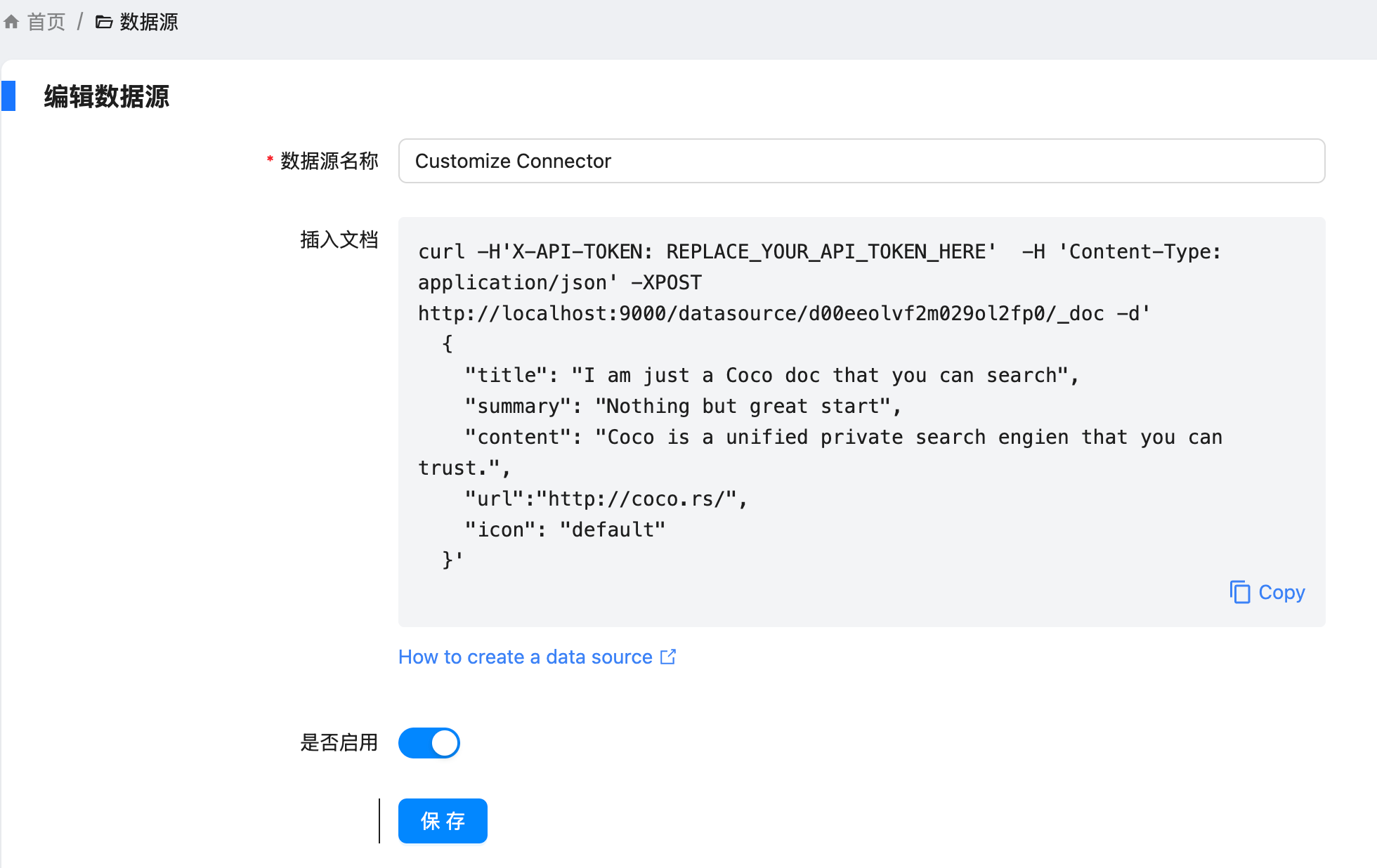
具体操作如下:
设置 - conntor - 新增,让输入名称和描述等信息,新建出来 conntor
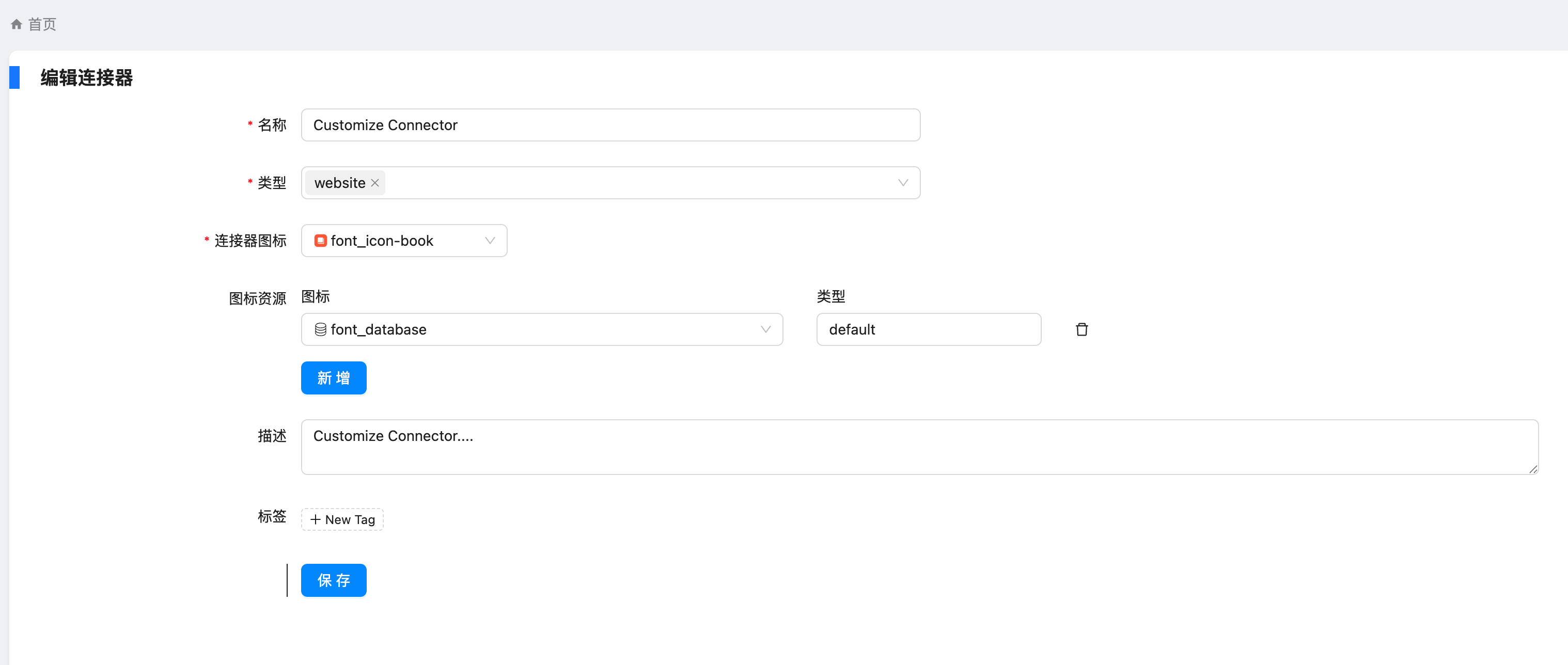
然后我们就能在数据源上的页面上看到刚刚添加的了 Customize Connector 了
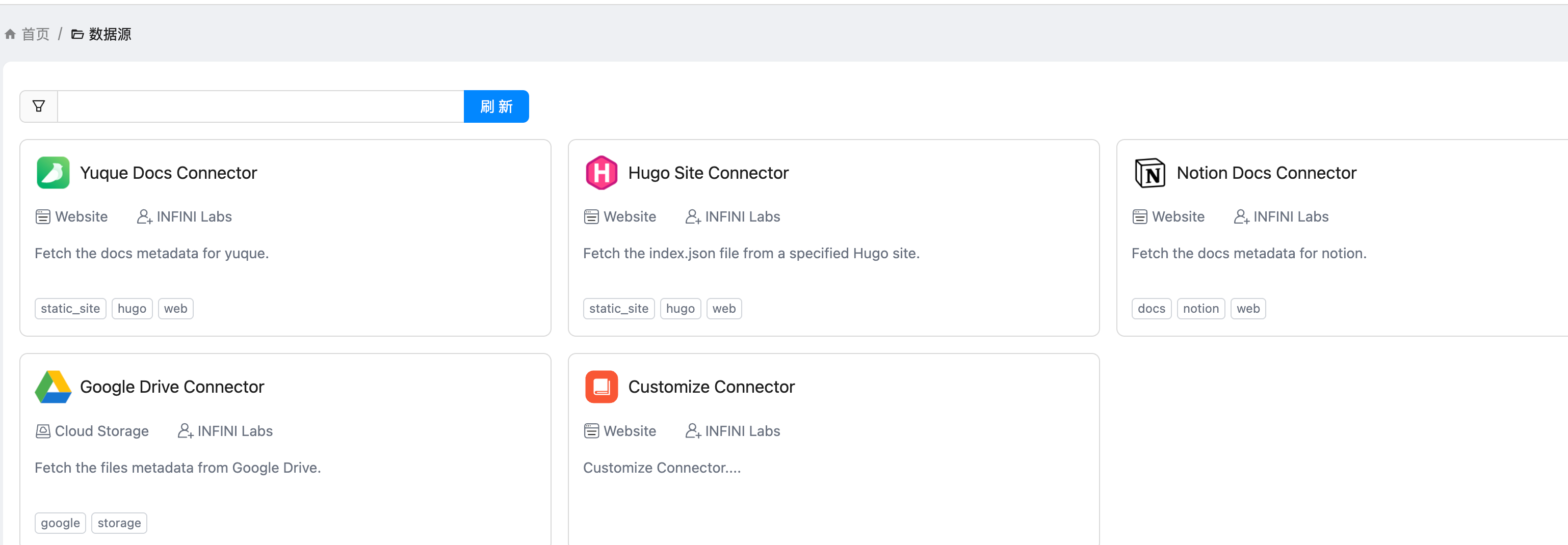
点开提示,给了一个 API
然后我们去创建 token,如图
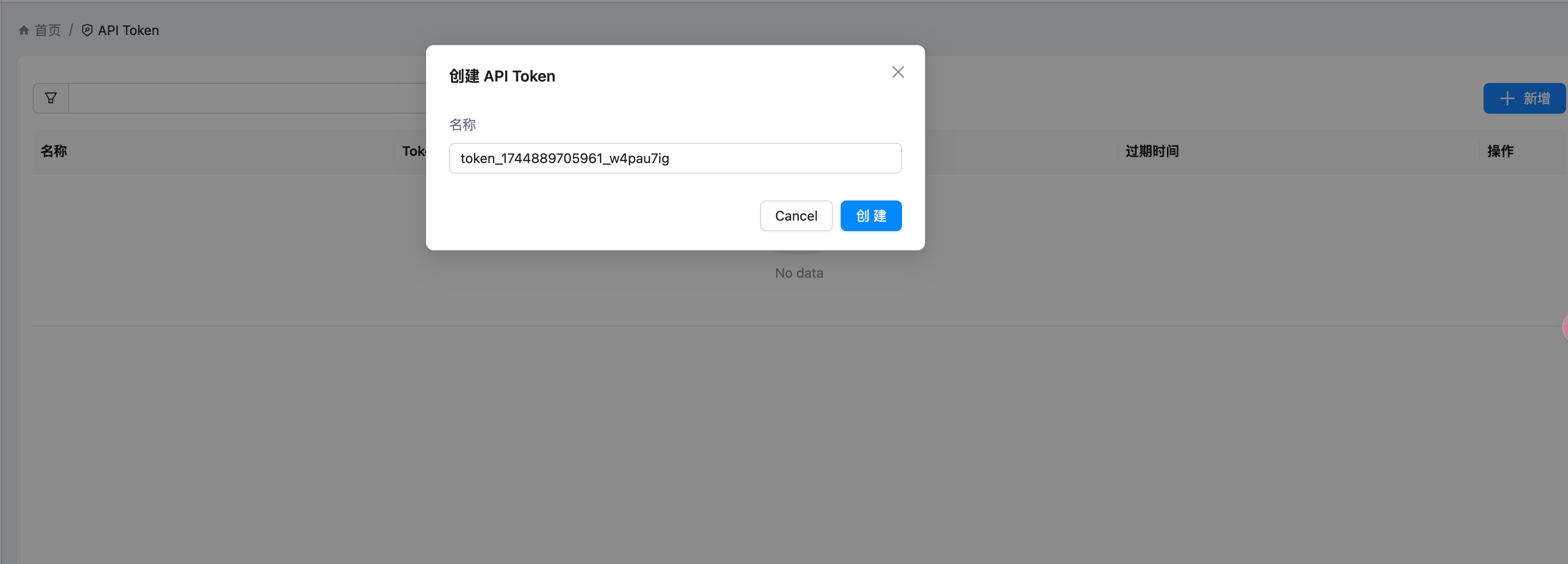
我这边使用 Postman 进行设置
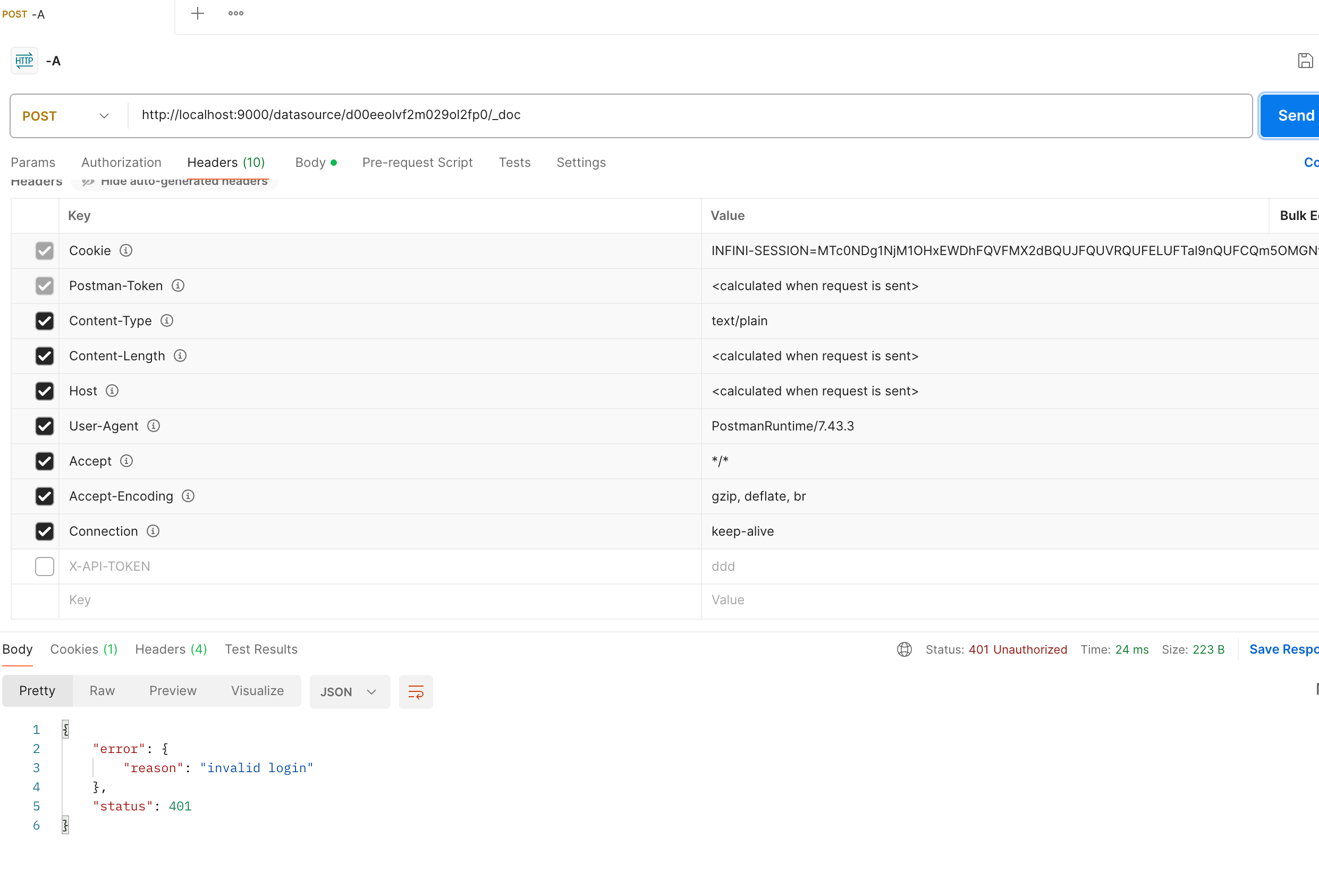
如果你的请求没有带 token,就是这样的。
转成代码的是这样的,当然也可以开发自己的 agent。
python
import requests
import json

url = "http://localhost:9000/datasource/d00eeolvf2xxx/_doc"

payload = json.dumps({
  "title": "I am just a Coco doc that you can search",
  "summary": "Nothing but great start",
  "content": "Coco is a unified private search engien that you can trust.",
  "url": "http://coco.rs/",
  "icon": "default"
})
headers = {
  'Content-Type': 'application/json'
}

response = requests.request("POST", url, headers=headers, data=payload)

print(response.text)